Tools
Features related to external tool integration and data access
Web Search Engine
Find missing information on the web.
This feature enables the agent to search the internet for information that may not be available in the local codebase or documentation. It can help answer questions about current APIs, libraries, frameworks, or any other topics that require up-to-date information from the web.
No additional details for this agent.
No additional details for this agent.
No additional details for this agent.
No additional details for this agent.
No additional details for this agent.
No additional details for this agent.
Fetch Data
Get real-time answers from any website.
You cannot just use curl or wget to fetch data from the web because most websites return a lot of irrelevant content, such as HTML, CSS, and JavaScript.
The built-in tool should be able to download the data and extract the useful information, filtering out any unnecessary clutter or noise.
No additional details for this agent.
Claude Code supports fetching data from URLs using the WebFetch tool.
No additional details for this agent.
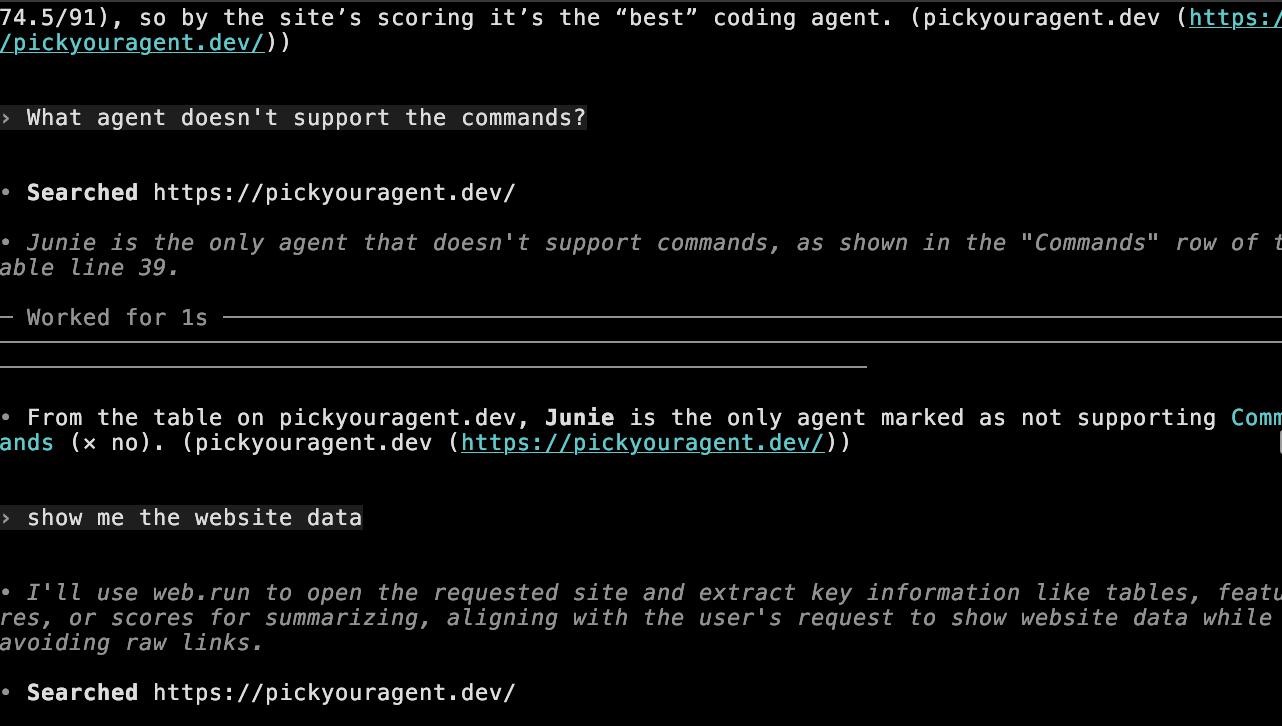
I tested several queries to pickyouragent.dev and Codex answered all questions correctly. Although Codex displays “Searched” in the output, it has full access to fetch and read text content from any page on the internet.
No additional details for this agent.
Browser
Browse the web just like a human.
If you’re a web developer or want to automate tasks, you can use the built-in browser feature. This approach is better than MCP browser integration because coding clients can target common actions directly—for example, “take a screenshot of the page [abc].”
Partial support. You can call a browser only in plan and agent modes. Ask and debug modes do not support the browser tool.
Anthropic has announced beta browser support for Claude Code, but I was unable to set it up on my device. I plan to revisit this feature once it is out of beta.
No additional details for this agent.
No additional details for this agent.
No additional details for this agent.
No additional details for this agent.
Linters
Code fixes, automated by agents.
Linters look for mistakes and style problems in your code. Agents can use these tools to find and fix issues without you doing it by hand or using extra tokens.
You could make your own skill (see partial/skills page), but that uses more context and tokens. Agents can get a list of errors and fix them directly, without needing an AI model. This way is faster, cheaper, and more reliable.
Partial support: You can install plugins for your linter—such as ESLint, TypeScript, etc.—and Cursor will detect errors directly, without consuming tokens. However, it cannot run --autofix to automatically fix issues; instead, it uses the selected model to resolve the errors.
Anthropic announced LSP support. I once saw Claude try to install Swift LSP for my macOS app. However, Claude does not explain how to trigger LSP installation, which LSPs are supported, or how to integrate them into your pipeline.
Marked as unsupported until better docs are available.
No additional details for this agent.
No additional details for this agent.
No additional details for this agent.